
Engineering Resume Templates, Examples and ATS Layout Tips
Engineering resume templates with a labelled example: what an engineering resume needs, single vs two column layouts, ATS implications, 7 free templates.
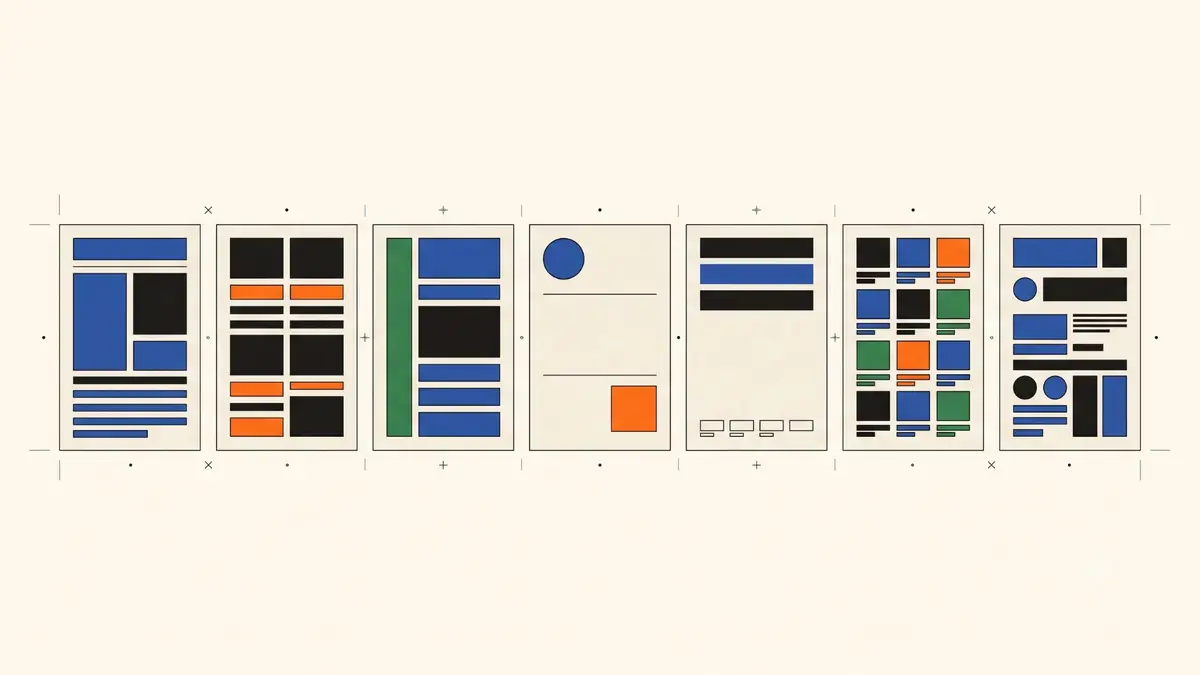
A hiring manager reads a stack of engineering resumes in one sitting and gives each a few seconds before deciding whether to read on. The ones that survive that pass share a shape: one page, a technical skills block the reader can scan without effort, experience bullets with numbers in them, and a projects section that proves you built something. This guide covers what an engineering resume (CV) needs, how to choose between single and two column layouts without losing text to a parser, and seven free templates that export a text-based PDF. A full fictional example sits in the middle.
Software roles have their own guide at software engineer resume. This page covers the rest of engineering: mechanical, civil, electrical, chemical, industrial and the people who move between them.
What an engineering resume needs
One page, unless you have ten years
Keep it to one page through your first decade. A second page earns its place once you have led teams, held a licence, or shipped enough products that cutting them hides the story. Two pages of a four-year career tells the reader you could not decide what mattered.
Every line you keep should answer one of two questions: can this person do the work, and have they done it before. Hobbies, a full address and a list of second-year coursework fail that test.
Contact details in the body of the page
Put your name, city, phone, email and one or two links at the top of the page as normal text. Avoid placing them in the document’s header or footer region in Word or Google Docs. Roche’s resume parsing FAQ warns that “Information in the header and footer sometimes gets dropped by the ATS completely” (Roche, Resume Parsing FAQ). A parser that drops your phone number has no way to call you.
Links worth including: LinkedIn, a portfolio for design-heavy disciplines, GitHub if you write code for test rigs or analysis. Skip the photo if you are applying in the US; the same Roche page says a US resume should never include one.
A technical skills section grouped by type
Engineers list more tools than most applicants, so group them. Four or five labelled rows beat one comma-separated paragraph:
- CAD: SolidWorks, Autodesk Inventor, AutoCAD
- Analysis: ANSYS Mechanical, MATLAB, SolidWorks Simulation
- Standards and methods: GD&T (ASME Y14.5), DFM, FMEA
- Manufacturing: sheet metal, CNC machining, injection moulding
A recruiter searching for “ANSYS” finds it in either format. The grouped version also tells a hiring manager, in two seconds, where your depth is. List tools you can discuss in an interview. A tool you opened twice in university belongs in a course list, not here.
Pull the exact terms from the posting; the method for finding and placing them is in the resume keywords guide.
Experience bullets with a number in them
A bullet that says “designed sheet-metal enclosures” describes a job. A bullet that says “redesigned the enclosure from 62 welded parts to 41 folded parts, cutting unit cost 11%” describes you. Engineers have an advantage here because the work produces numbers: part counts, cycle times, yield, tolerance, cost, test results, units shipped.
A simple pattern covers most bullets: action, object, method, result. “Ran tolerance stack-ups for the fan-deck assembly (ASME Y14.5); field vibration complaints fell from 14 to 2 units per quarter.” Two numbers, one standard, one outcome. Keep three to five bullets for your current role and two or three for older ones.
Use real figures. If you do not have the exact number, use the scale (“a 40-part assembly”, “9,000 units a year”) rather than a figure you would have to defend in an interview.
A projects section, even with experience
Students need a projects section because they have little else. Working engineers benefit from one too, for a different reason: it shows initiative and gives the interviewer something to ask about. One or two entries are enough. A capstone, a personal build, a competition entry, an open-source contribution. Give each a line on what you built, the tools, and a measurable outcome.
Education and credentials
Degree, institution, year. Add GPA only if it helps and the posting asks. Then credentials, which carry real weight in engineering:
- FE exam. NCEES describes the FE as “generally your first step in the process of becoming a licensed professional engineer (P.E.)” and says it is designed for recent graduates and students close to finishing an accredited engineering degree (NCEES, FE exam). If you have passed it, say so with the year.
- PE licence. List it with the state or jurisdiction.
- Certifications. CSWP for SolidWorks, Six Sigma belts, PMP, Autodesk certifications, safety tickets. Name, issuer, year.
How to choose a layout: single column vs two column
Single column
Text runs top to bottom, so the visual order and the order a parser reads it are the same. This is the safest layout for any application that goes through an ATS. Its weakness is density: a long skills list eats vertical space, and a one-page limit gets tight for people with several roles.
Two column
A narrow sidebar holds skills, certifications and links while the main column holds experience. It fits more on a page and reads well on screen. The risk is parsing. Roche’s FAQ describes the mechanism: “Since ATSs are programmed to read left to right, some will read columns straight across” (Roche). A sidebar line about “Six Sigma Green Belt” can end up spliced into the middle of a bullet about fixture design.
The outcome depends on how the file stores its text, not on how it looks. A PDF whose main column comes first in the text stream, followed by the sidebar, extracts in order. A PDF built from a layout table or text boxes may not. You cannot tell by looking, so test it.
The copy-paste test
Open the PDF, select all, copy, and paste into a plain text editor. Read the result top to bottom. If your contact details are present, the sections appear in order, and no sidebar text lands mid-sentence, the file extracts the way a parser will read it. If a word like “efficiency” pastes with a missing letter, your font or export tool has a ligature problem; the fix is in the LaTeX resume guide, which covers the same issue for Overleaf PDFs.
Run this test on every template you consider, including the ones in this article.
Other format rules
- Export a text-based PDF unless the posting asks for Word. A scanned or image-only PDF has no text to extract.
- Use standard section titles: Experience, Education, Skills, Projects, Certifications.
- Keep contact icons off, or make sure the text sits beside them. An icon font extracts as a symbol, not as the word “Email”.
- Pick a plain font at 10 to 11 point. Decorative fonts cost space and gain nothing.
- Match page size to the country: US Letter for the US and Canada, A4 for India, Europe and most of the rest of the world.
- Name the file
Firstname-Lastname-Resume.pdf.
Engineering resume templates: seven free layouts
Resume Matcher is a free, open-source app (Apache 2.0) that you download and run on your own machine. It is a resume tailoring harness that connects to your own AI model, and it includes a builder with seven templates. There is no hosted website; you run it with one Docker command or a local Python and Node setup.
| Template | Columns | Fits |
|---|---|---|
| Single Column | 1 | The default. Any discipline, any ATS. |
| Two Column | 2 | Long skills lists; experience stays in the main column. |
| Modern | 1 | A lighter look with an accent colour. |
| Modern Two Column | 2 | Dense resumes that still need structure. |
| LaTeX | 1 | The classic LaTeX look without LaTeX. |
| Clean | 1 | Minimal, generous spacing, short careers. |
| Vivid | 2 | Accent colour and a visual sidebar. |
Every template prints to PDF from real web-page text in a headless Chrome browser, so every word can be selected and copied; none of them produces a picture of text. Names and section titles use proper heading tags. The two-column templates keep the main content first in reading order, with the sidebar after it. Fonts are standard system fonts in serif, sans or mono stacks. You can set A4 or US Letter, margins from 5 to 25 mm, section and line spacing, base font size, a compact mode, contact icons on or off, and an accent colour (blue, green, orange or red) on Modern, Modern Two Column and Vivid. Sections reorder by drag and drop, and you can add custom ones such as Publications or Licences.
Whether any specific employer’s ATS reads the result well is not something the project can promise, and it does not try to. The text layer is the promise, and you can check it with the copy-paste test above. Previews and the full list of controls are on the PDF templates page.
For engineers, Single Column or LaTeX covers most applications. Pick Two Column when your skills section runs past six rows and you want it out of the way of your experience. Prefer a .tex file you compile yourself? The LaTeX resume guide walks through Overleaf and the popular templates.
Engineering resume example
Example (fictional): the person, companies and numbers below are invented to show the structure. Four years of experience, mechanical discipline, single column, one page.
Priya Natarajan Pune, India · +91 98XXX XXXXX · priya.natarajan@example.com · linkedin.com/in/priya-natarajan-example
Summary Mechanical engineer with four years in HVAC product design. Cut the unit cost of a rooftop air handler by 11% through sheet-metal DFM changes and owns GD&T and tolerance stack-ups for a 40-part fan-deck assembly.
Technical skills
- CAD: SolidWorks (CSWP), Autodesk Inventor, AutoCAD
- Analysis: ANSYS Mechanical, SolidWorks Simulation, MATLAB
- Standards and methods: GD&T (ASME Y14.5), DFM/DFA, FMEA, tolerance stack-up
- Manufacturing: sheet metal, CNC machining, injection moulding, welding fixtures
- Tools: Windchill PLM, Minitab, Python (pandas) for test data
Experience
Design Engineer, Vellore Climate Systems, Pune · Jun 2023 to present
- Redesigned the rooftop air handler frame from 62 welded parts to 41 folded sheet-metal parts, cutting unit cost 11% and assembly time by 35 minutes per unit.
- Ran tolerance stack-ups (ASME Y14.5) for the fan-deck assembly; field vibration complaints fell from 14 to 2 units per quarter.
- Led the FMEA for a new condensate tray that now ships in three product lines, about 9,000 units a year.
- Wrote a Python script that pulls thermal test logs from the rig and plots results against spec, replacing a two-hour manual spreadsheet step per test.
Graduate Engineer, Meridian Fabrication, Chennai · Jul 2021 to May 2023
- Modelled 120+ sheet-metal enclosures in SolidWorks from customer drawings; drawing error rate stayed under 1% across two years of audits.
- Designed welding fixtures for an enclosure line, raising first-pass yield from 91% to 97%.
Projects
- Belt-driven linear actuator (personal, open hardware): designed in SolidWorks, tested repeatability to 0.1 mm, published drawings and BOM; 300+ downloads.
Education B.E. Mechanical Engineering, Anna University, Chennai, 2021. First class with distinction.
Certifications Certified SolidWorks Professional (CSWP), 2022 · Six Sigma Green Belt, 2024
A few things to notice. The summary repeats the two strongest numbers from the experience section, so a reader who stops after three lines still has them. The skills rows use the names a recruiter would search for, including the standard (ASME Y14.5) and not only the concept. Each bullet has a number or a scale. The project is small, finished and measurable, which beats an ambitious one that was never built. Nothing on the page needs a second column.
Notes by discipline
Mechanical. CAD and analysis tools lead the skills section. Quantify in parts, cost, cycle time, tolerance and yield. Name the standards you work to.
Civil and structural. List design codes (ACI, AISC, Eurocode, IS codes) and software (AutoCAD Civil 3D, Revit, STAAD.Pro, ETABS). Projects are often the main section: name the structure, your role, the value or span, and the stage you took it to. Licensure matters more here than anywhere else; put FE or PE status near the top.
Electrical and electronics. Separate hardware (Altium, KiCad, oscilloscopes, PCB bring-up) from firmware and simulation (C, VHDL/Verilog, MATLAB/Simulink, LTspice). Quantify in board revisions, power or cost reductions, test coverage and compliance passes.
Chemical and process. Process simulation (Aspen Plus, HYSYS), P&ID work, HAZOP participation, plant scale and throughput. A bullet about a 4% yield improvement on a named unit operation says more than a paragraph about responsibilities.
Industrial and manufacturing. Lean, Six Sigma, line balancing, OEE, takt time. This discipline produces the cleanest metrics in engineering; use them in every bullet.
Software and embedded. Different conventions for projects and open-source work. Use the software engineer resume guide.
Students and new grads. Projects and coursework replace experience, and the one-page rule is absolute. The computer science resume guide covers that structure, and most of it applies to other engineering programmes too.
One template, one copy per posting
The template is the easy part. The work that moves a resume up a recruiter’s list is tailoring the copy to each posting: matching the posting’s vocabulary in the skills section, promoting the bullets that fit, and cutting the ones that do not. The full method is in how to match your resume to a job description.
If you use Resume Matcher for that step, it keeps a master resume and produces a tailored copy per job with your model of choice (Claude, ChatGPT, Gemini, DeepSeek or a local model through Ollama). Code locks your employers, titles, dates and degrees, and reverts any number the model introduces that is not in your original, so a bullet cannot gain a percentage you would have to defend. You review a before-and-after diff, then export the PDF from any of the seven templates.
FAQ
Should an engineering resume be one page? Yes for the first ten years or so. Senior engineers, licensed PEs and people with long project lists can use two. A third page goes unread.
Is a two-column engineering resume ATS-friendly? It depends on how the file stores its text. Run the copy-paste test. If the main column pastes first and the sidebar after, the layout is fine. If lines interleave, switch to single column for online applications and keep the two-column version for emailing a person.
PDF or Word?
A text-based PDF, unless the application form asks for .docx. Roche’s FAQ calls .docx the format “most accurately parsed by ATSs”, so follow the employer’s instruction when there is one.
Do I need a summary? Two or three lines help if they carry your discipline, years and your two best numbers. A summary made of adjectives does not; delete it and let the bullets speak.
Where do I put the FE or PE? Under Education or in a Certifications and Licences section, with the year. If the posting requires a PE, repeat it in the summary.
If this guide helped, star Resume Matcher on GitHub. Saurabh Rai builds it; follow him on GitHub, X and LinkedIn.
[This article was drafted, edited and formatted with the help of AI. Product facts were checked against the Resume Matcher source code, and outside sources are linked where they are used.]
Enjoyed this post? Star Resume Matcher on GitHub and follow along