
Available Templates
Resume Matcher includes seven resume templates. Every template exports a text-based PDF, so each word can be selected and copied.
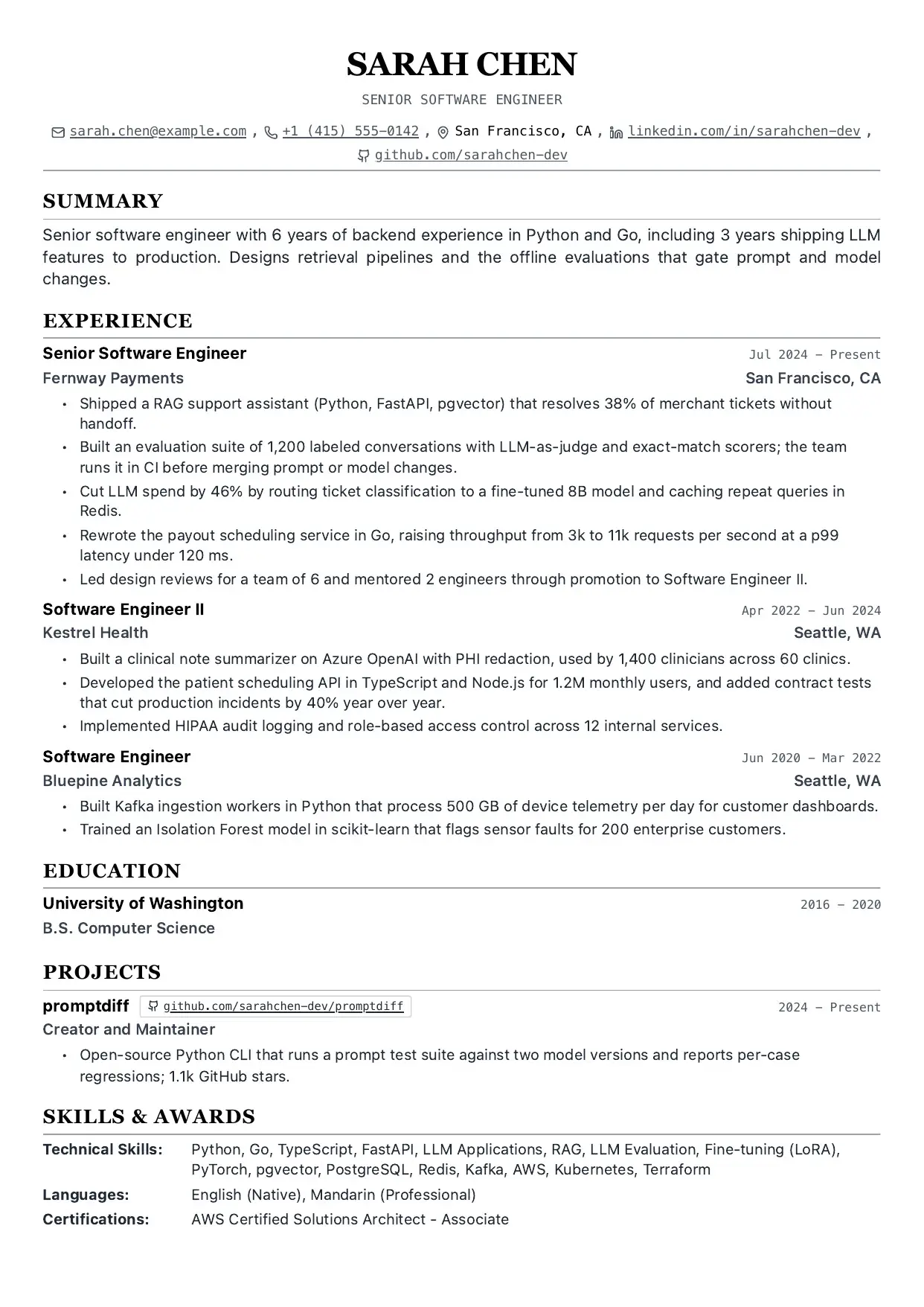
Single Column
The default template. Traditional single-column layout that works for most applications.
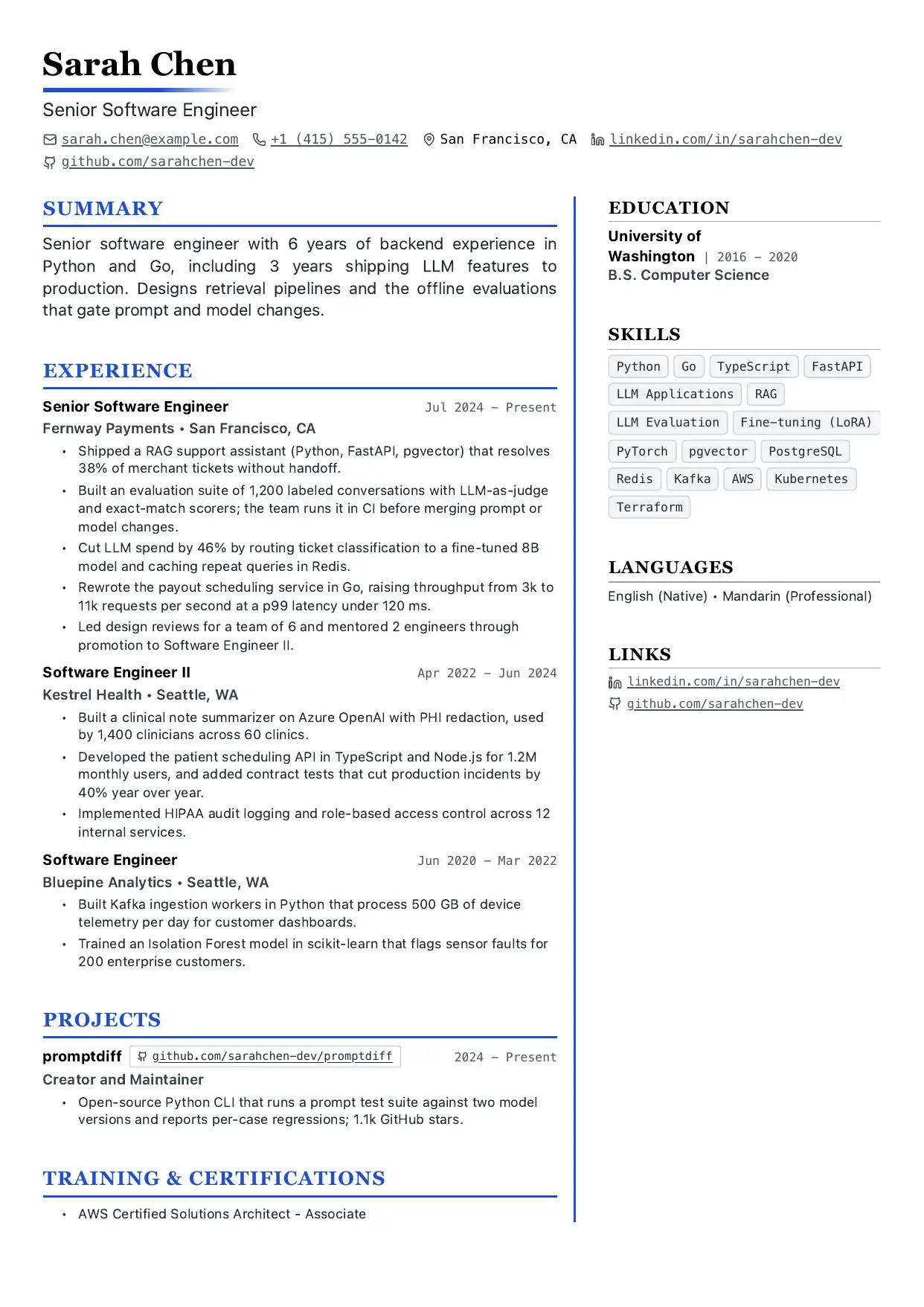
Two Column
A two-column layout that gives supporting details their own side column.

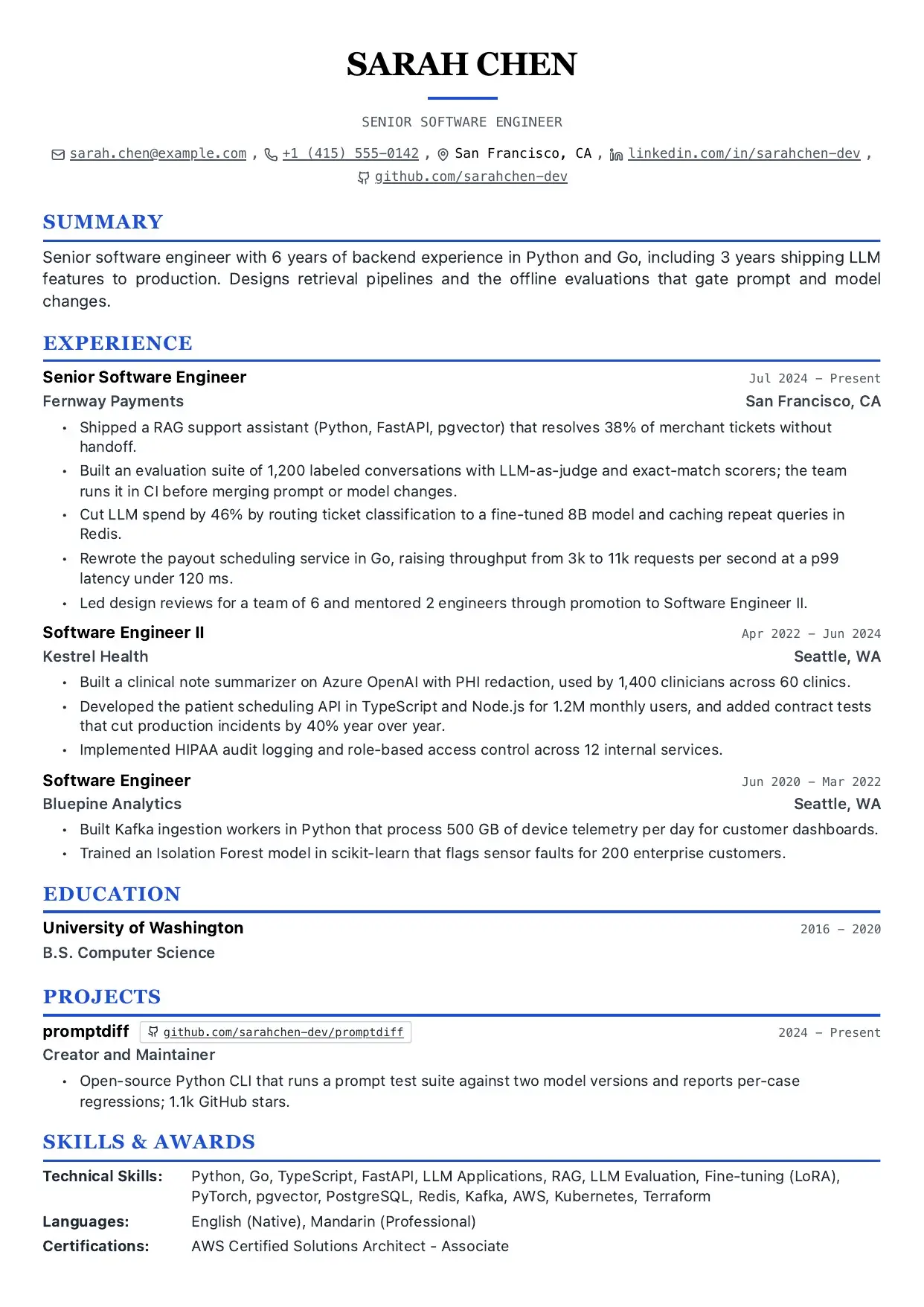
Modern
A contemporary single-column layout with a cleaner modern presentation.
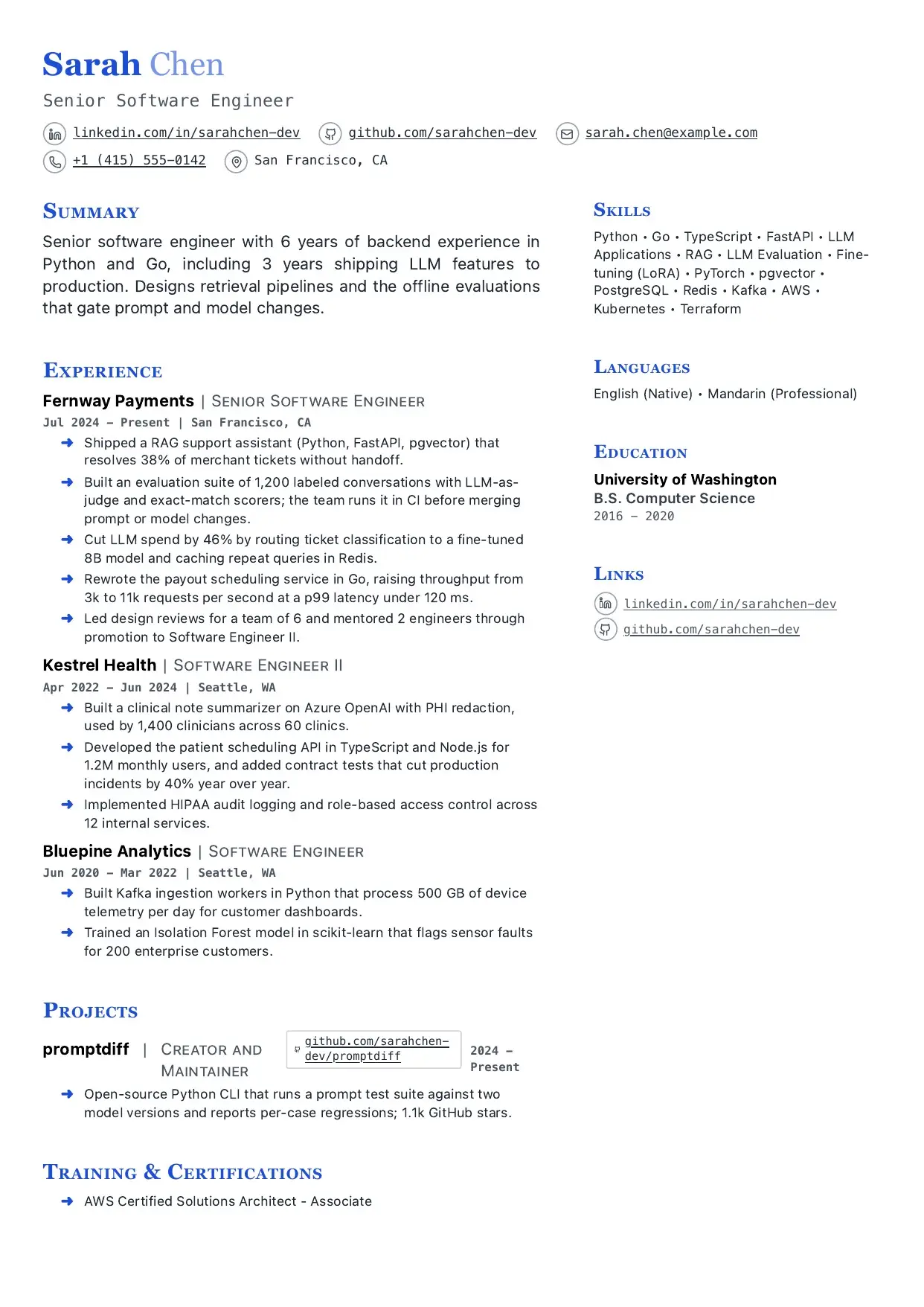
Modern Two Column
A contemporary two-column layout for denser resumes that still need strong structure.
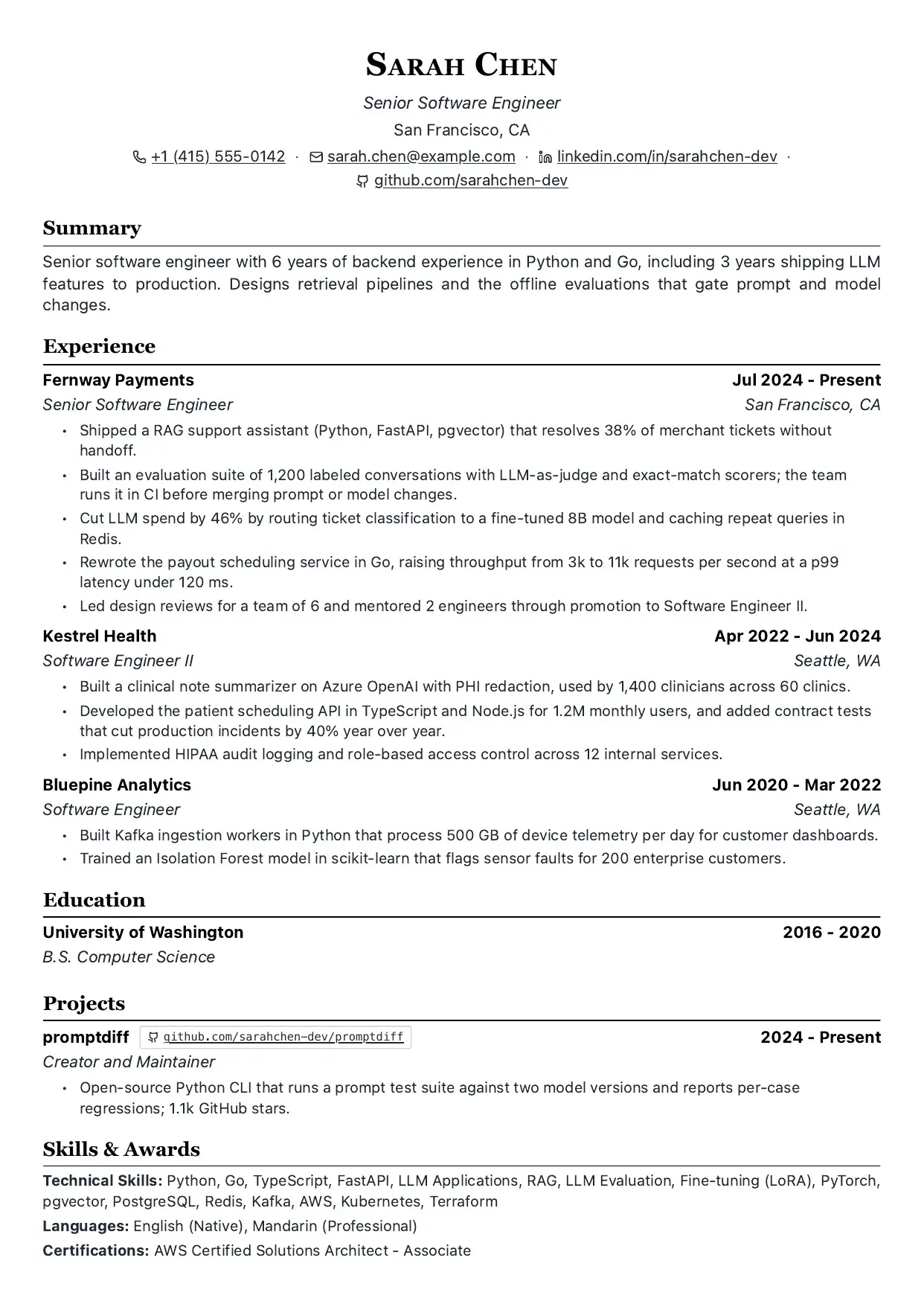
LaTeX
A single-column layout with the look of a classic LaTeX resume, popular with engineers and academics. It exports a PDF like the other templates; it is not a .tex file.
Want the .tex source instead? All seven designs are also available as standalone LaTeX projects for Overleaf or a local TeX install in resume-matcher-templates. The LaTeX resume guide walks through using them.
Clean
A minimal single-column layout with generous spacing.
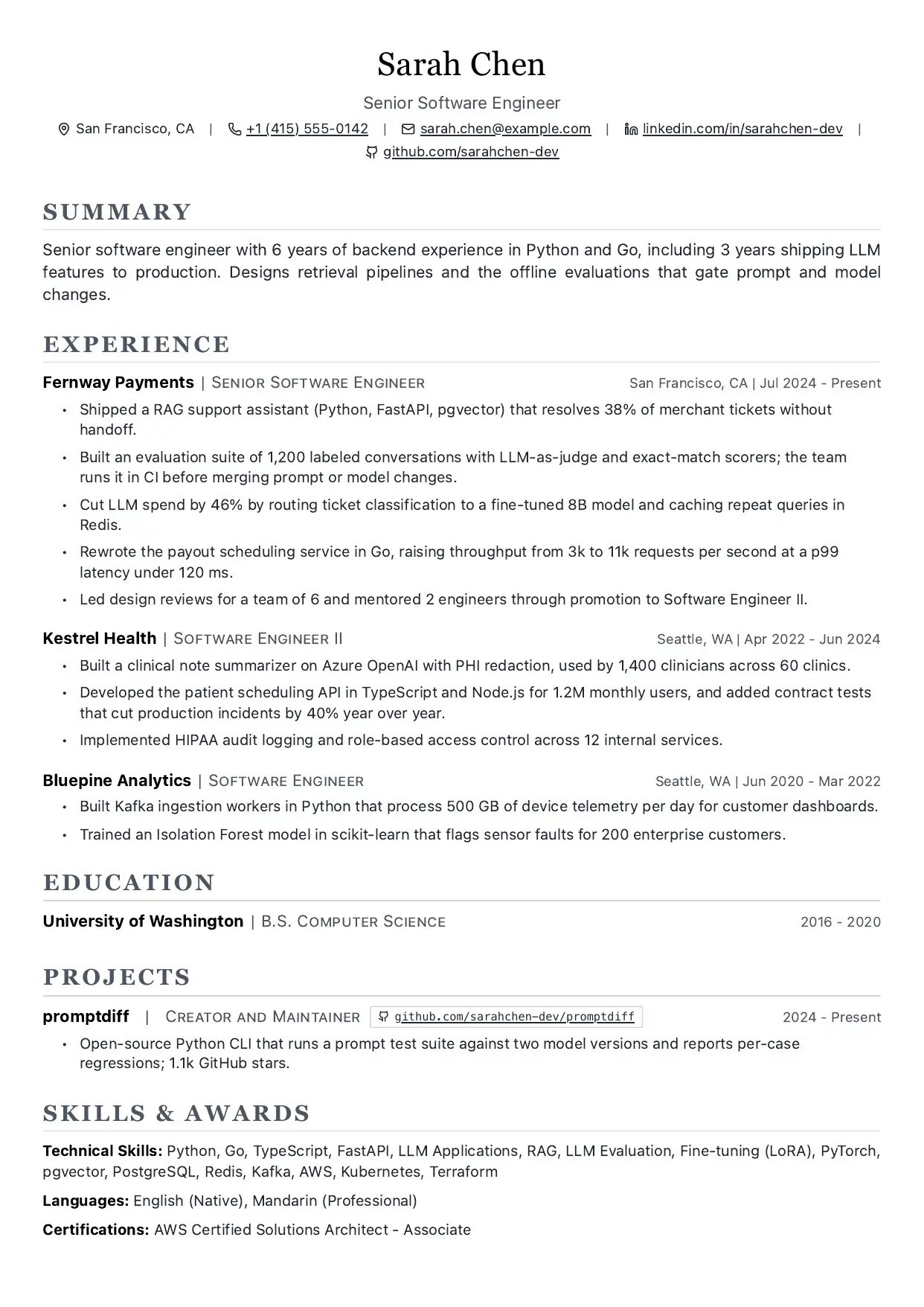
Vivid
A two-column layout with an accent colour for a more visual resume.
Formatting Controls
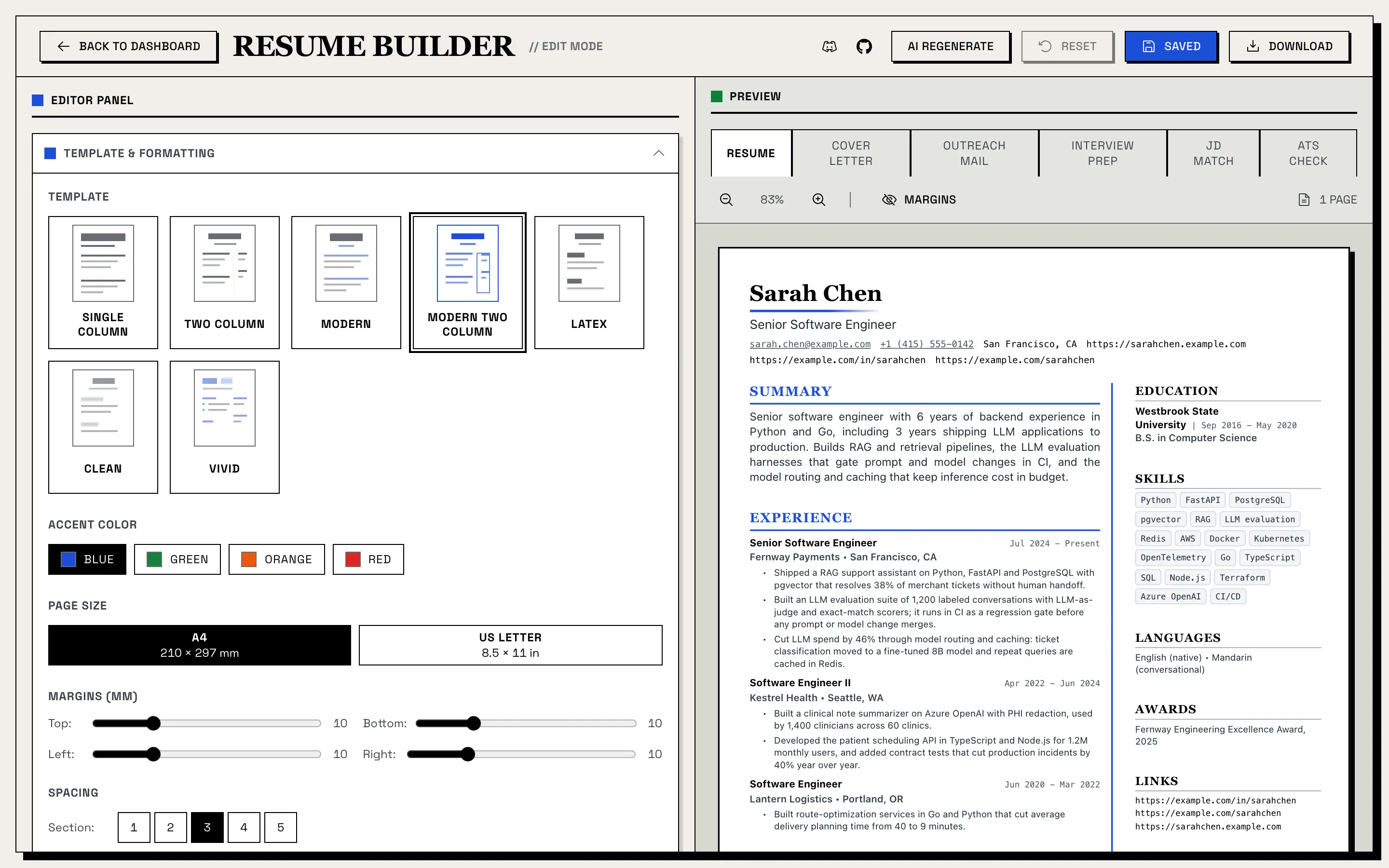
All template changes are previewed live in the builder before export. The controls live in the builder’s Template & Formatting panel.
| Control | What It Does |
|---|---|
| Page Size | Choose A4 or US Letter |
| Margins | Set each side from 5 to 25 mm (default 10 mm) |
| Section Spacing | Control space between major sections, in five steps |
| Item Spacing | Control space between items inside sections, in five steps |
| Line Spacing | Adjust readability and density, in five steps |
| Base Font Size | Scale body copy |
| Header Scale | Scale your name and section headers |
| Header Font Family | Serif, sans-serif or monospace for headings |
| Body Font Family | Serif, sans-serif or monospace for body text |
| Compact Mode | Reduce spacing for denser resumes |
| Contact Icons | Show or hide contact icons |
| Accent Colors | Blue, green, orange or red on Modern, Modern Two Column and Vivid |
Reset to defaults puts every control back at any time.
Resume Matcher runs on donations.
More than 200,000 job seekers have used it, free, with no ads and no paywall. If it saved you time or helped you land an interview, sponsoring or buying a coffee keeps it that way.
PDF Export
The exported PDF follows the live preview, with the template, fonts, spacing and page size you chose. Resumes and cover letters both export as PDF.
The app opens a headless Chromium browser on a print-only version of your resume and prints it, so the PDF contains real text, not an image of text: every word can be selected, copied and read by software. Headings are real headings, and two-column templates keep the main content first in the reading order, so text extractors read your experience before the sidebar.
PDF export needs the frontend running, because Chromium prints the frontend’s print page. Locally, complete the Playwright install step from Installation, or have Chrome or Edge installed, which the app falls back to. The Docker image includes everything.
Choosing a Template
Use Single Column, Two Column, LaTeX or Clean when:
- you want a more traditional resume presentation
- you need a minimal, structured format
Use Modern, Modern Two Column or Vivid when:
- you want a more contemporary look
- you want template accent colors
Use two-column layouts when:
- you need more space for supporting information
- you want skills, links, or metadata separated from the main experience column